> For the complete documentation index, see [llms.txt](https://learn.mechanic.dev/llms.txt). Markdown versions of documentation pages are available by appending `.md` to page URLs; this page is available as [Markdown](https://learn.mechanic.dev/app/settings.md).
# Settings
Configure your Mechanic account — contact email, Shopify permissions, outbound email, webhooks, integrations, and more.
The Settings page is organized into sections, accessed from the sidebar on the left or a dropdown on smaller screens. General and User cover common account preferences; the rest only matter if you're using the feature they're named after.
## General
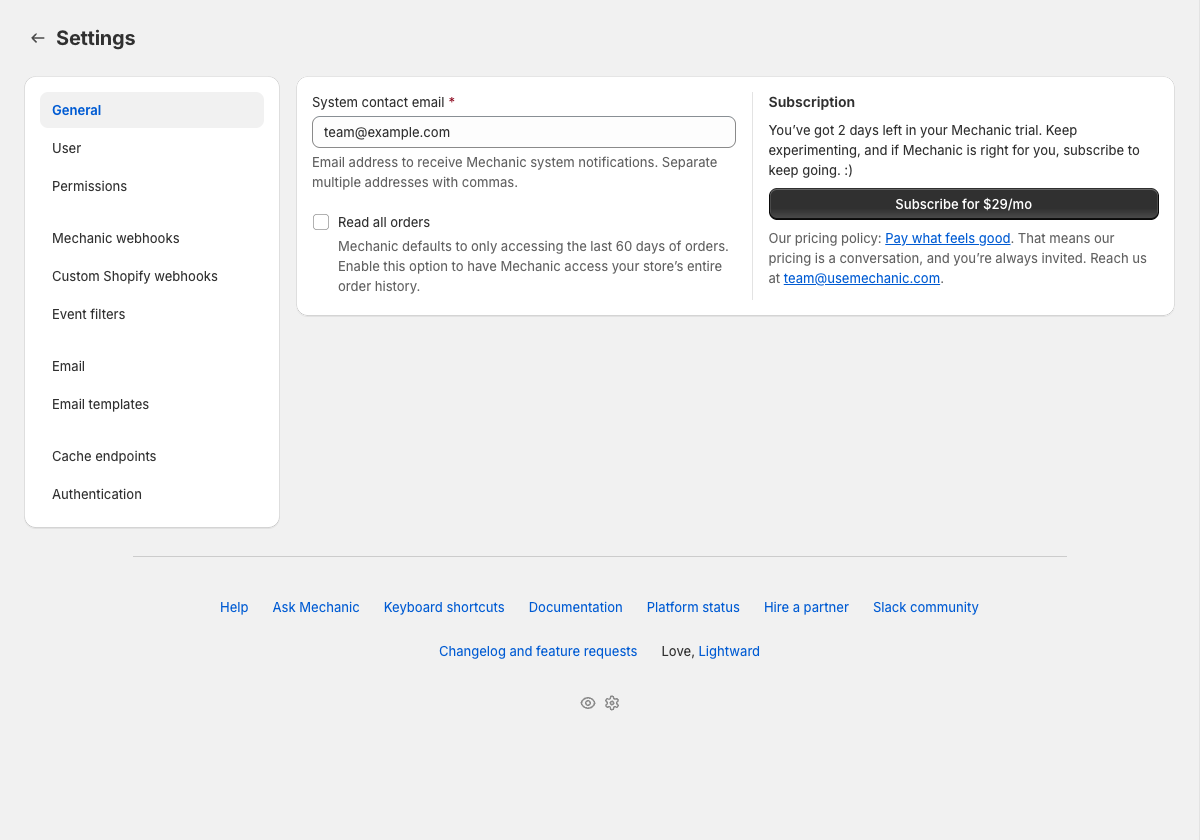
* **System contact email** — receives Mechanic system notifications, like rate limit alerts or platform maintenance announcements. Supports multiple addresses separated by commas.
* **Read all orders** — by default, Mechanic accesses the last 60 days of order history. Enable this if you have tasks that need to search older orders. Learn more in [Read all orders](/platform/shopify/read-all-orders.md).
* **Subscription** — your current plan and billing status.
## User
* **Use the task editor’s Advanced mode by default** — open the [task editor](/app/task-editor.md) in Advanced mode (for editing code) instead of Basic mode (for adjusting settings)
* **Show shop identity banner** — display a banner identifying the current shop (helpful when managing multiple stores)
* **Use dark theme for code editor** — apply a dark theme to all code editors in the app
## Permissions
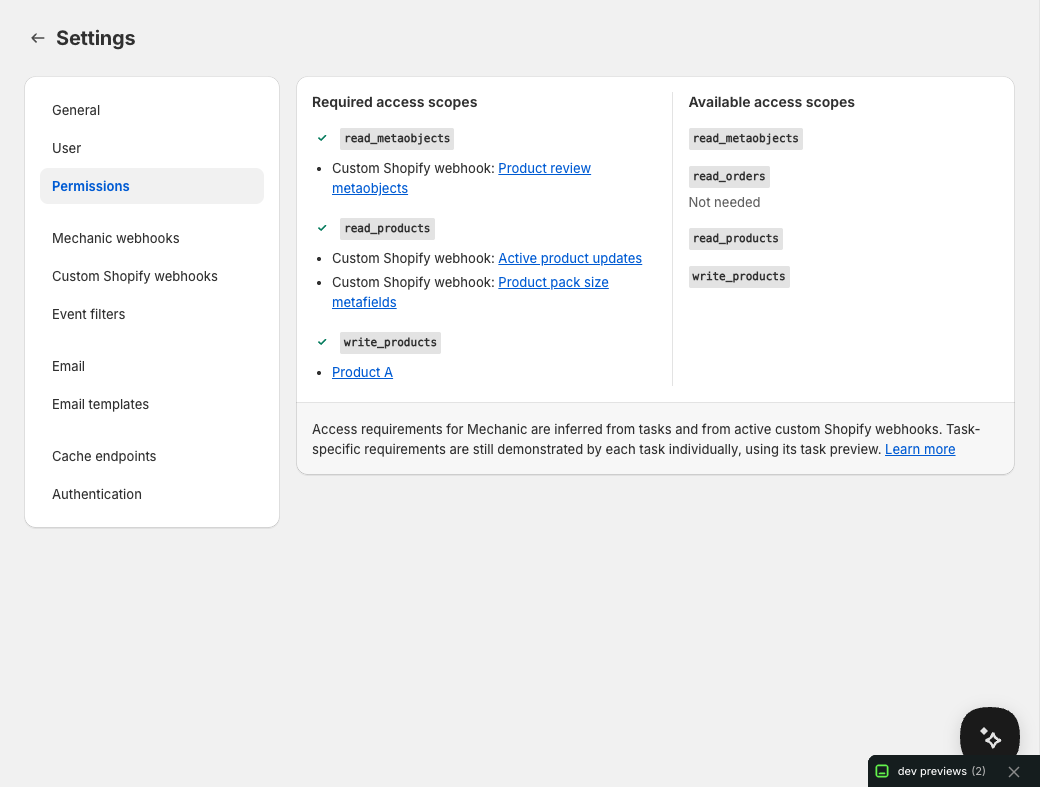
Most of the time, Mechanic figures out the Shopify API scopes your tasks need from subscriptions, Shopify data access, and previewed Shopify actions. This section shows which scopes are already granted and which ones still need approval; it does not grant scopes directly. When scopes need approval, Mechanic prompts you to update Shopify access. When a task's needs are hard to prove during preview — for example, when a mutation's scope depends on a realistic resource ID, or logic only runs in a live branch — you can declare scopes directly with the [`permissions` tag](/platform/liquid/tags/permissions.md). Active [custom Shopify webhooks](/platform/shopify/custom-webhooks.md) can also contribute required scopes.
Saved [storefront forms](/app/forms.md) also require permission to read themes, so Mechanic can show where each form is placed. Visibility conditions that select products, variants, or collections also require product read access. These requirements use the same access approval flow; theme read access does not allow Forms to change theme files. See [Permissions](/core/tasks/permissions.md) for the full model.
## Mechanic webhooks
Inbound HTTP webhooks that let any external system (a form builder, a CRM, an ERP, a fulfillment service) trigger your tasks. Each webhook gets a unique URL you can POST data to, and incoming requests become `user/...` events. Mechanic’s own [storefront forms](/app/forms.md) connect to these same webhooks: choose one in the form’s Submission settings, then subscribe tasks to its topic. See [Mechanic webhooks](/platform/webhooks.md).
## Custom Shopify webhooks
Advanced Shopify-side filters and payload customization for supported Shopify webhook topics, routed onto a custom Mechanic event topic. Most tasks should use regular `shopify/...` subscriptions; reach for this when you want filtered deliveries, slim payloads, Shopify-side metafield filtering or delivery, or [metaobject webhooks](/platform/shopify/custom-webhooks.md#how-do-i-receive-shopify-metaobject-webhooks-in-mechanic) (which native subscriptions don't cover). See [Custom Shopify webhooks](/platform/shopify/custom-webhooks.md).
If you're not sure which path you want: most data coming from Shopify should use a regular `shopify/...` task subscription. Use Custom Shopify webhooks only when Shopify should filter or reshape the delivery before Mechanic receives it. Data coming from anywhere else should use Mechanic webhooks.
## Event filters
Advanced. Liquid code that runs before tasks to decide whether an event should be processed — for example, skipping test orders or pausing processing during maintenance. See [Event filters](/platform/events/filters.md).
## Email
* **Default outbound email** — the auto-assigned email address Mechanic uses for sending, with email verification status
* **Custom outbound email** — use your own domain, verified via DNS records. See [Custom email addresses](/platform/email/custom-email-domain.md).
## Email templates
Optional. Reusable HTML [email templates](/platform/email/templates.md) for use in tasks. Templates support Liquid variables.
## Cache endpoints
Only needed if external apps need to read data from your tasks. Create URLs that return [cached](/platform/cache.md) task data as JSON — useful for dashboards or integrations that need to pull information from Mechanic.
## Globals and secrets
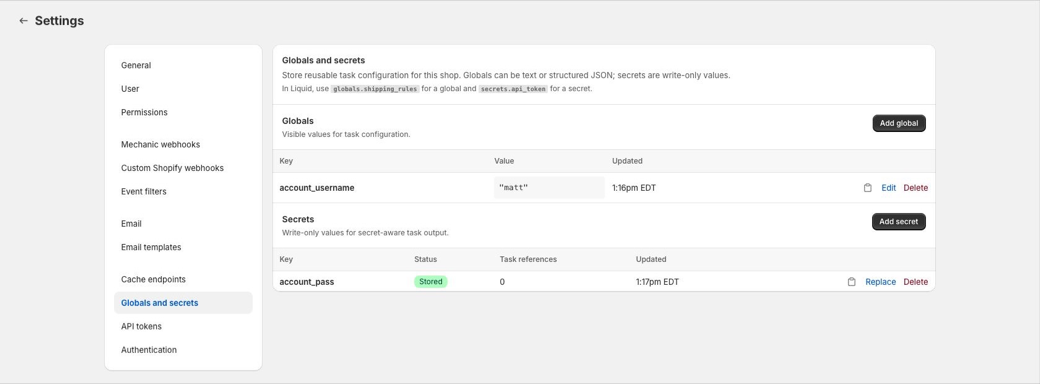
Reusable shop-level values for tasks. Globals are visible JSON values that can be shared with task repos and the CLI. Secrets are write-only string values for credentials, tokens, signing keys, and other sensitive data.
Tasks can read globals with `globals.some_key` and reference secrets with `secrets.some_key`. Task options can also render dropdowns for selecting existing globals or secrets. See [Globals and secrets](/platform/globals-and-secrets.md).
## API tokens
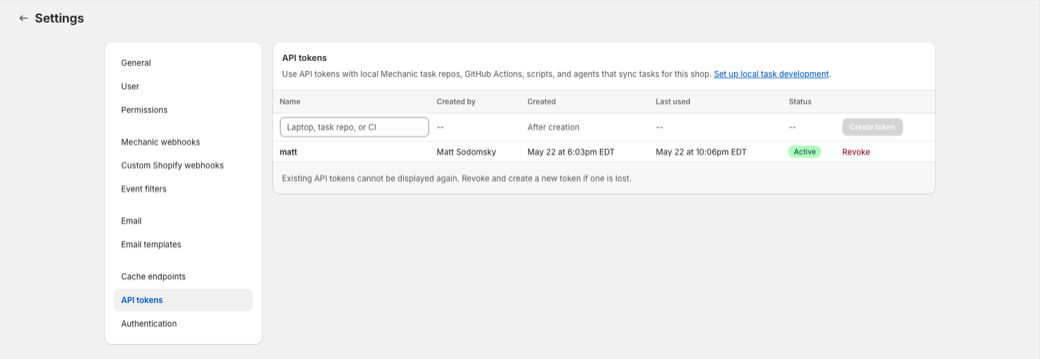
Only needed if you are using [local task development with the Mechanic CLI](/resources/mechanic-cli.md), GitHub Actions, scripts, or agents that sync tasks or manage globals and secrets for this shop. API tokens can read, preview, and publish tasks, and can manage shop globals and secrets, until revoked. Mechanic only shows a token once, when it is created; if a token is lost or exposed, revoke it and create a new one.
Use a separate token for each device, repository, or automation. Each shop can have up to five active API tokens; revoke unused tokens before creating more.
See [API tokens and task sync API](/resources/mechanic-cli/mechanic-task-sync-api.md) for token safety and automation details.
## Authentication
Only needed if your tasks use Google Sheets, Airtable, or Slack integrations. Connect your accounts here so tasks can interact with those services. Credentials are encrypted and stored securely. See [Integrations](/platform/integrations.md).
---
# Agent Instructions
This documentation is published with GitBook. GitBook is the documentation platform designed so that both humans and AI agents can read, navigate, and reason over technical content effectively. Learn more at gitbook.com.
## Querying This Documentation
If you need additional information that is not directly available in this page, you can query the documentation by asking a question.
Perform an HTTP GET request on the following URL with the `ask` and `goal` query parameters:
```
GET https://learn.mechanic.dev/app/settings.md?ask=&goal=
```
`ask` is the immediate question: it should be specific, self-contained, and written in natural language.
`goal` is what the user is ultimately trying to achieve, the reason they need the answer. Sharing it helps GitBook give you a better, more relevant answer. A goal is most helpful when it describes the outcome the user wants rather than restating the question. For example, with `ask=how do I create an API token`, a goal like `automate deployments from our CI pipeline` lets GitBook tailor the answer to that use case.
The response will contain a direct answer to the question and relevant excerpts and sources from the documentation.
Use this mechanism when the answer is not explicitly present in the current page, you need clarification or additional context, or you want to retrieve related documentation sections.